
Bin|Set
preset → episode → bins
Saves your folders and bins as a preset and builds them in your Avid project in one click, named for the episode.
Freeno accountmacOS 13 or laterApple silicon
The problem
Every episode needs the same forty bins. Someone makes them by hand, names them for the episode, and gets one wrong.
How it works
01 · in Bin|Set
Preset
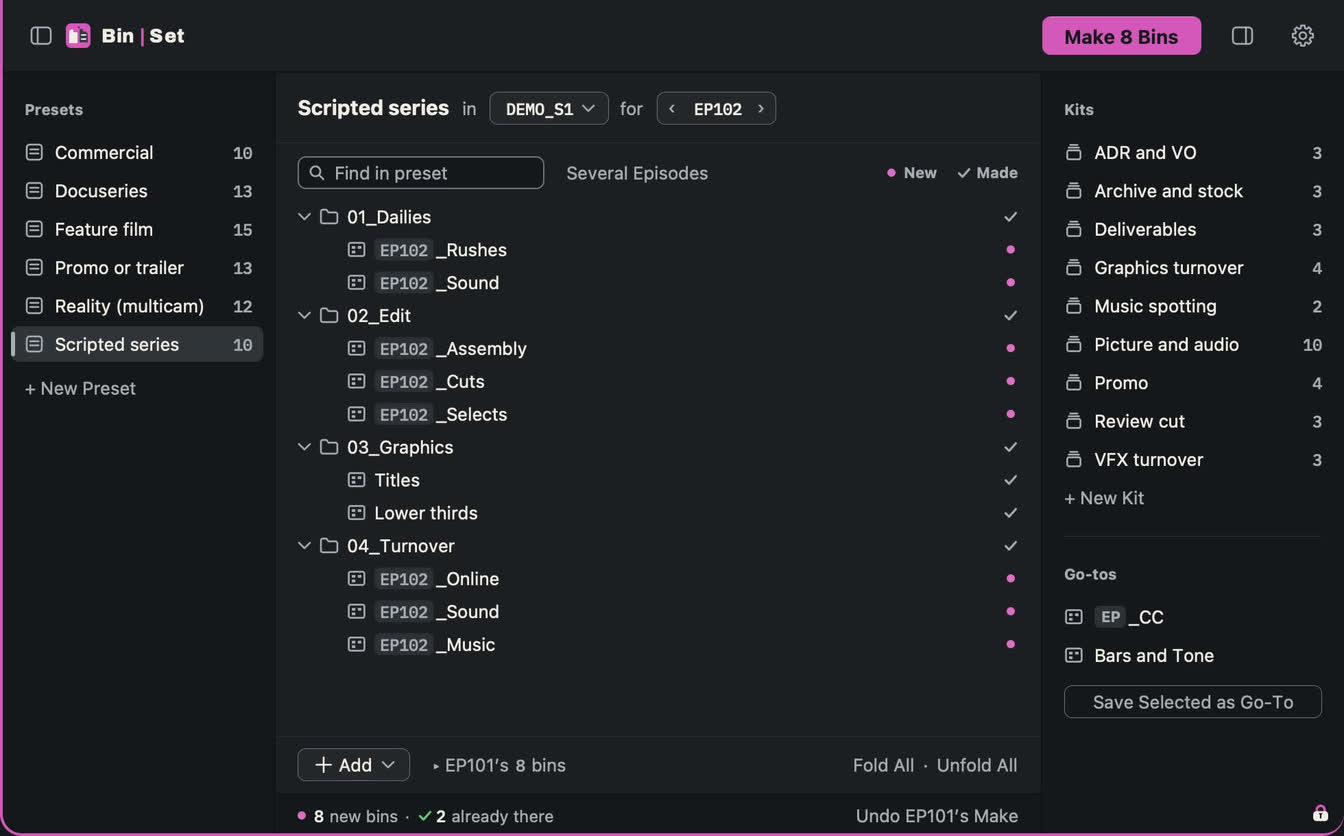
Lay out your folders and bins once, or copy them from a project that's set up. Put {EP} in a bin's name; it becomes the episode number, like EP102_Rushes.
02 · in Bin|Set
Make
Pick the preset, the project and the episode. New bins show in magenta; anything already there is left alone.
03 · in Avid
Open
Every bin is there, empty and in its folder, ready for the day's media.
Up close
In the Finder
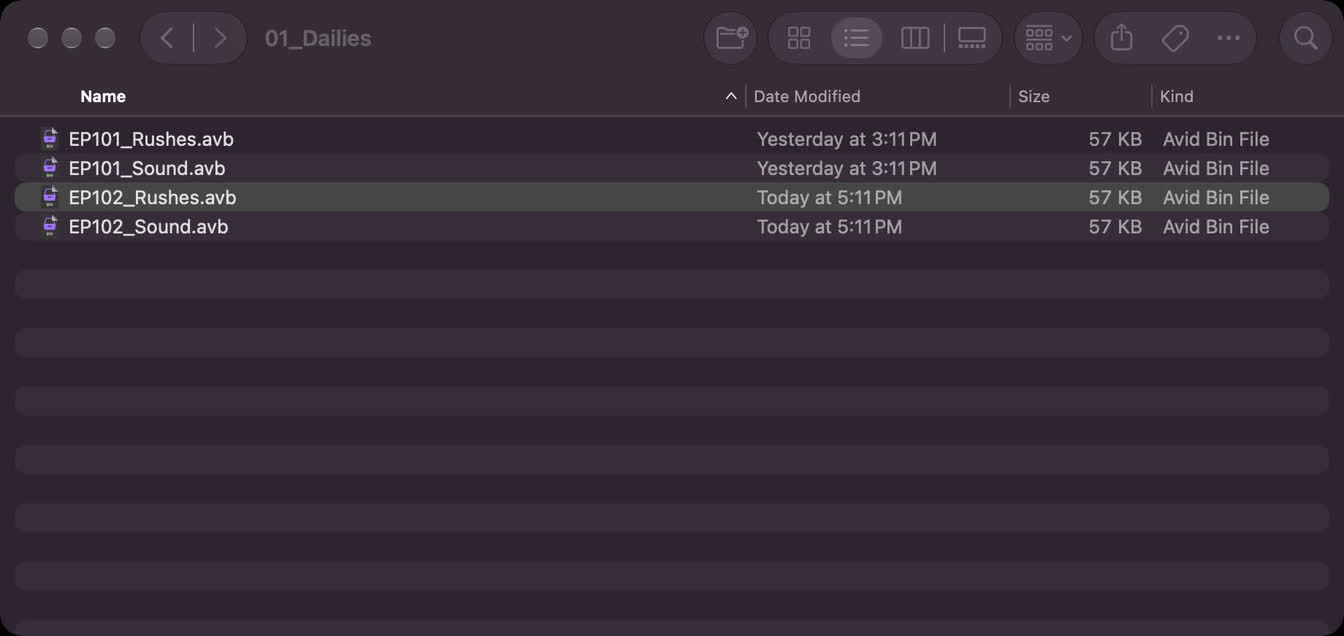
What Bin|Set made, before Avid opens it: each episode's bins in their folders, the new ones dated today beside last episode's.
What it makes
A bin already in the project is skipped, never replaced. A preset is one small file: send it to the next editor and their projects start like yours. Only each bin's look goes with it: columns, colours and layout.
- Price
- Free, no account
Notify me - Version
- Coming soon
- Needs
- macOS 13 Ventura or later · Apple silicon
- Tested with
- Avid Media Composer 2025.12
- Privacy
- Your media and projects never leave your Mac
Questions
Does Media Composer need to be closed?
It's best with the project closed. If it's open, refresh Avid's bin list afterwards.
Will it touch bins I already have?
No. A bin already in the project is skipped, never replaced.
Can my team use the same layout?
Yes. Share the preset as one .binset file; Bin|Set never sends it anywhere: you choose where it goes. Only each bin's look goes with it: columns, colours and layout.
Does anything leave my Mac?
Your media and projects never leave your Mac.